
How to Connect a Thermostat to a Smartphone App?
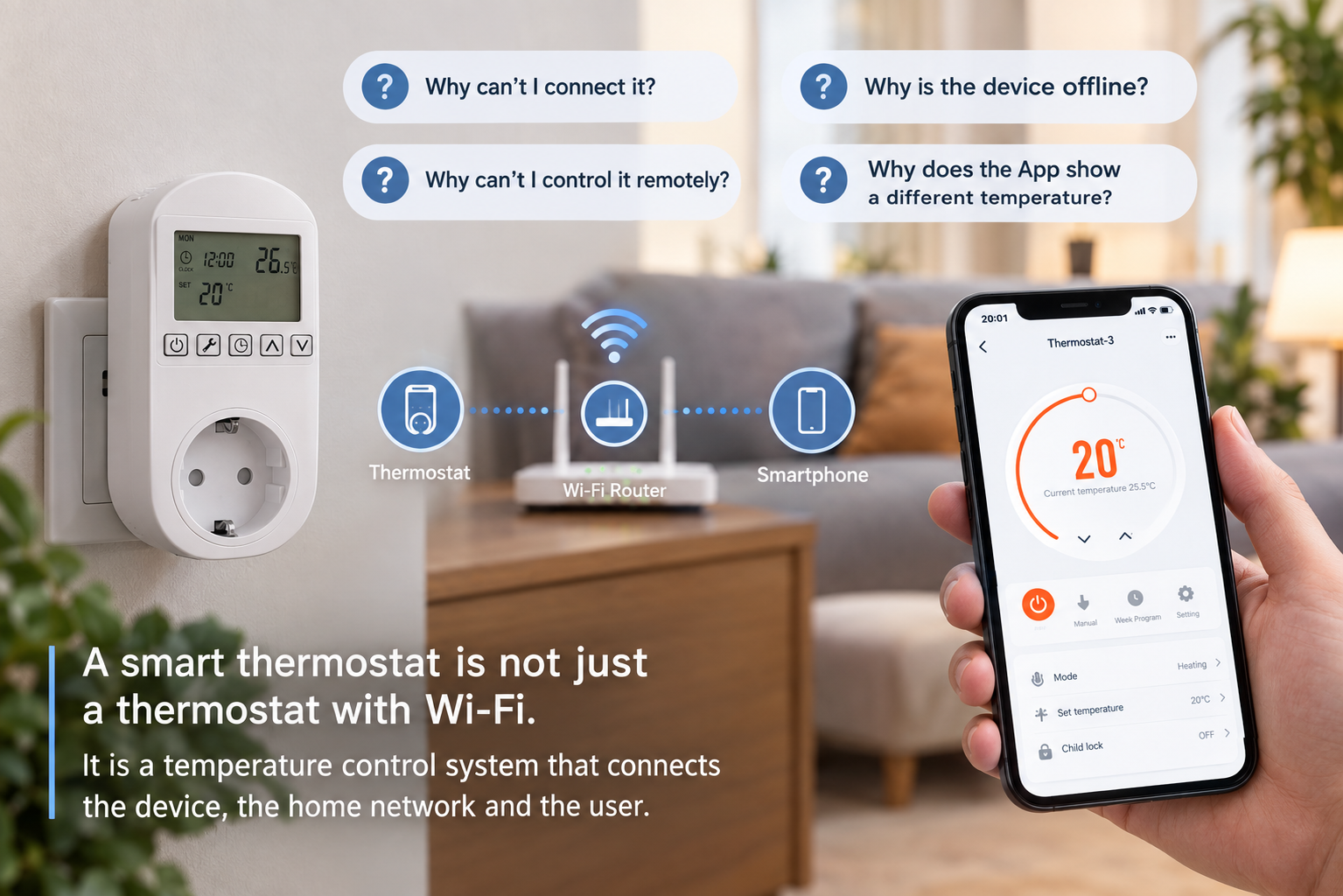
Customers often ask why their smart thermostat will not connect to their phone. Frustrating network errors waste your time. Here is how you can fix this and set up your device easily.
To connect a thermostat to a smartphone app, you must download the Smart Life app and create an account. You need to connect your phone to a 2.4GHz Wi-Fi network. You put the thermostat in pairing mode, tap "Add Device" in the app, and follow the simple on-screen steps.
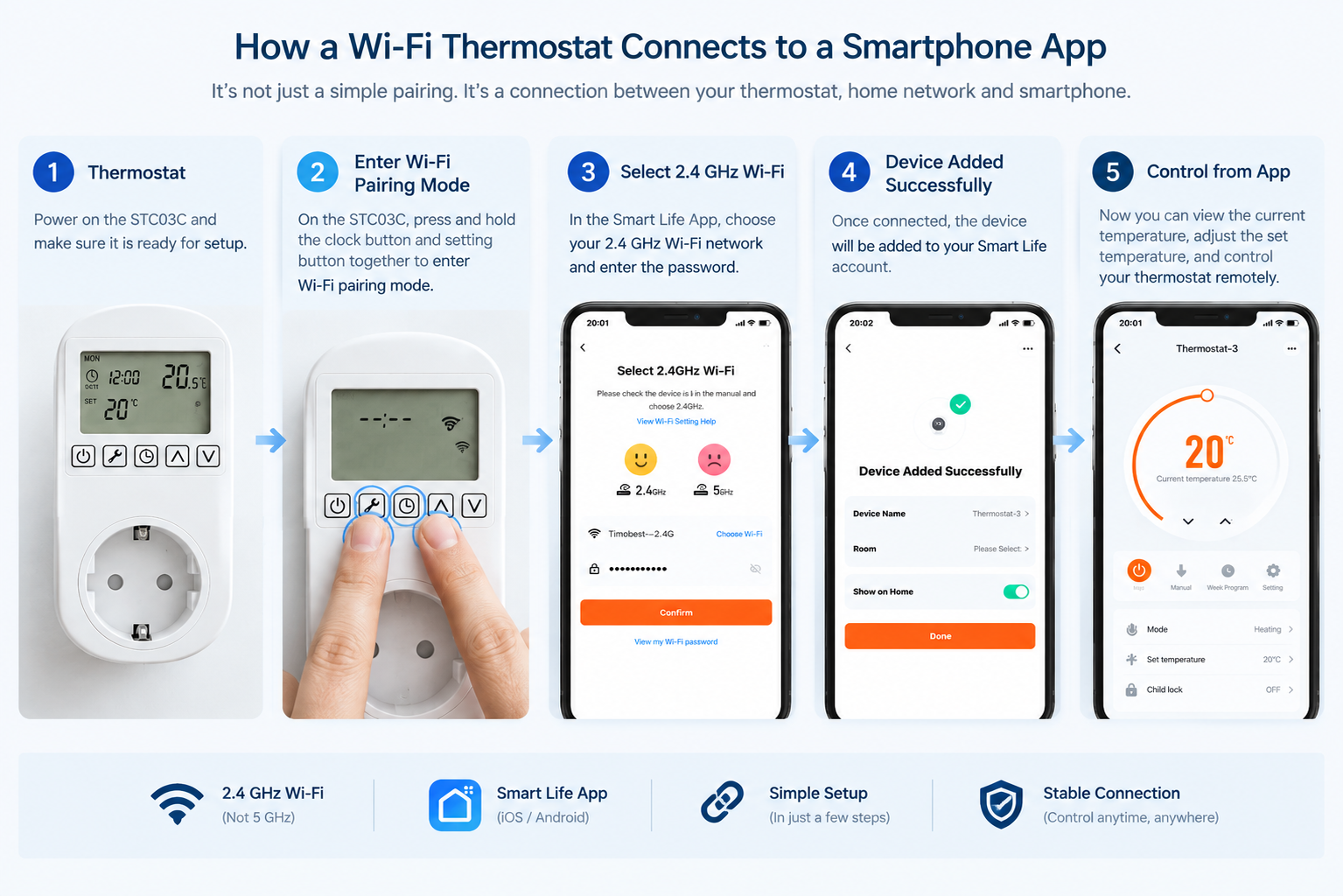
You might think that finishing these basic steps means your work is done. But a bad network or confusing settings will quickly make you stop reading and start looking for a different product altogether.
Why do smart thermostats fail to connect to the Wi-Fi network?
You follow the manual exactly, but the app still says your device is offline. This problem makes you feel angry and helpless. The issue is usually a very small network mismatch.
Smart thermostats usually fail to connect because the user selects a 5GHz Wi-Fi network instead of a 2.4GHz network. The device might also be too far from the router. Sometimes, the user forgets to put the thermostat into the correct pairing mode before searching on the app.
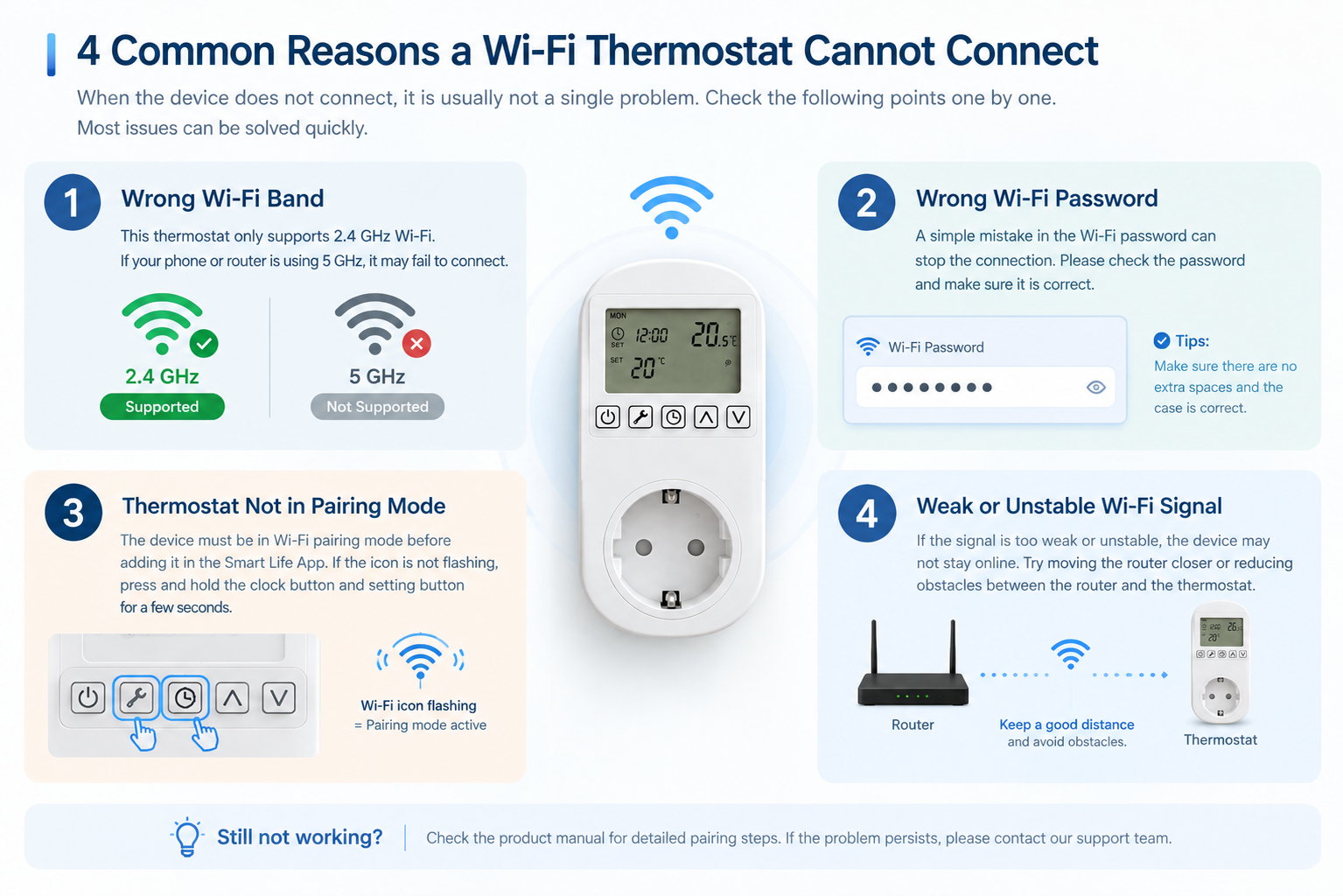
I hear these complaints from buyers all the time. They ask me, "Why can I not connect it?" They also ask, "Why is the device offline?" These questions seem to be about the Wi-Fi or the app. But they actually show a big change in the smart home industry. A smart thermostat is not just a standalone device anymore. It needs a good network to work well. I remember a time when a big distributor from Europe called me. His customers were returning our smart thermostats to the store. I asked him to check their network settings. We found out that most users were trying to use 5GHz Wi-Fi. Our devices only support 2.4GHz Wi-Fi. Most smart home products use 2.4GHz because it travels through walls better. The product, the Wi-Fi network, the app, and the phone must talk to each other perfectly. A simple pairing process includes many steps. You must put the device in pairing mode. You must choose the correct Wi-Fi. The app must find the device and finish the setup. Therefore, "supporting Wi-Fi" is just a basic feature. It is not the complete user experience. We must make sure every single step is easy for the end user. Our engineers spend weeks testing different routers in our factory to ensure stable connections.
What is the real difference between traditional and smart thermostats?
People often buy smart thermostats but use them exactly like old models. This habit wastes the smart features and your money. You need to understand the real upgrade of this new technology.
Traditional thermostats only solve the problem of how to control the temperature in a room. Smart thermostats solve the problem of how to manage the temperature. A smart thermostat connects to the internet, so you can change settings from anywhere and create detailed schedules for different days.
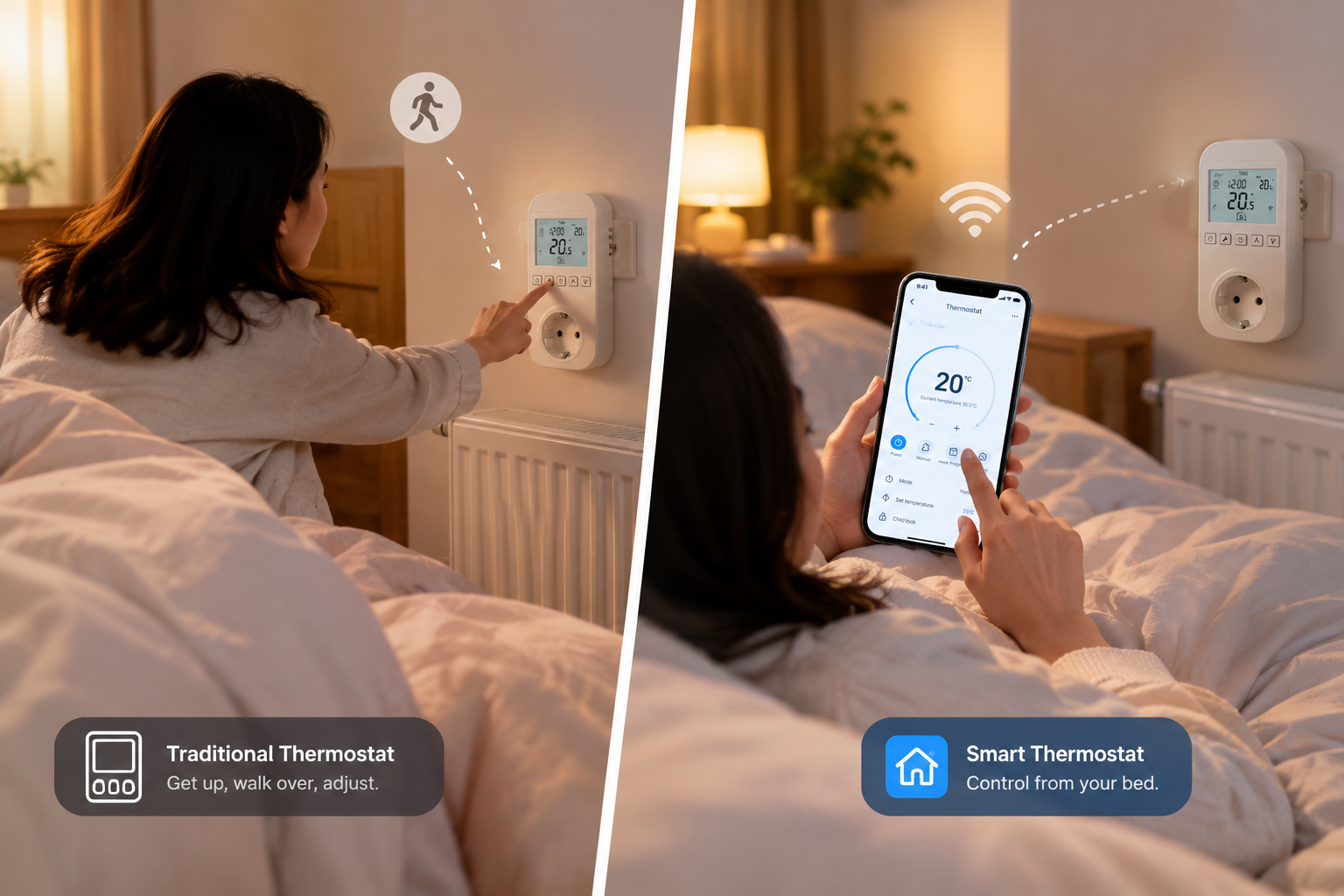
When you connect a thermostat to a phone, the device changes completely. It is no longer just a basic tool on the wall. I always tell my B2B clients that we are selling a management system. We are not just selling a simple switch. Traditional thermostats do a simple job. You press a button, and the room gets warm. But a Wi-Fi thermostat gives you total control over time and energy. I once visited a customer in South America. He installed our smart thermostats in a large office building. Before this project, the workers had to walk to every room to turn off the heating at night. Now, the manager controls everything from one phone. This remote management is very useful for underfloor heating or electric heating systems. It is also great for rooms that are not used every day. You do not need to keep the heat on all the time. You can turn it on before you arrive. This feature saves a lot of energy. In Europe, energy costs are very high. Managing the heat saves real money every month. The change from "controlling" to "managing" is the most important value of a smart device.
How can the Smart Life app help you manage room temperature?
A bad app interface confuses users and ruins the product experience. You might struggle for hours to set a simple schedule. The Smart Life app makes this process clear and easy.
The Smart Life app allows you to view the current room temperature from anywhere. You can adjust the target temperature instantly. You can turn the device on or off remotely. The app also lets you set up automatic running schedules for different times and days of the week.
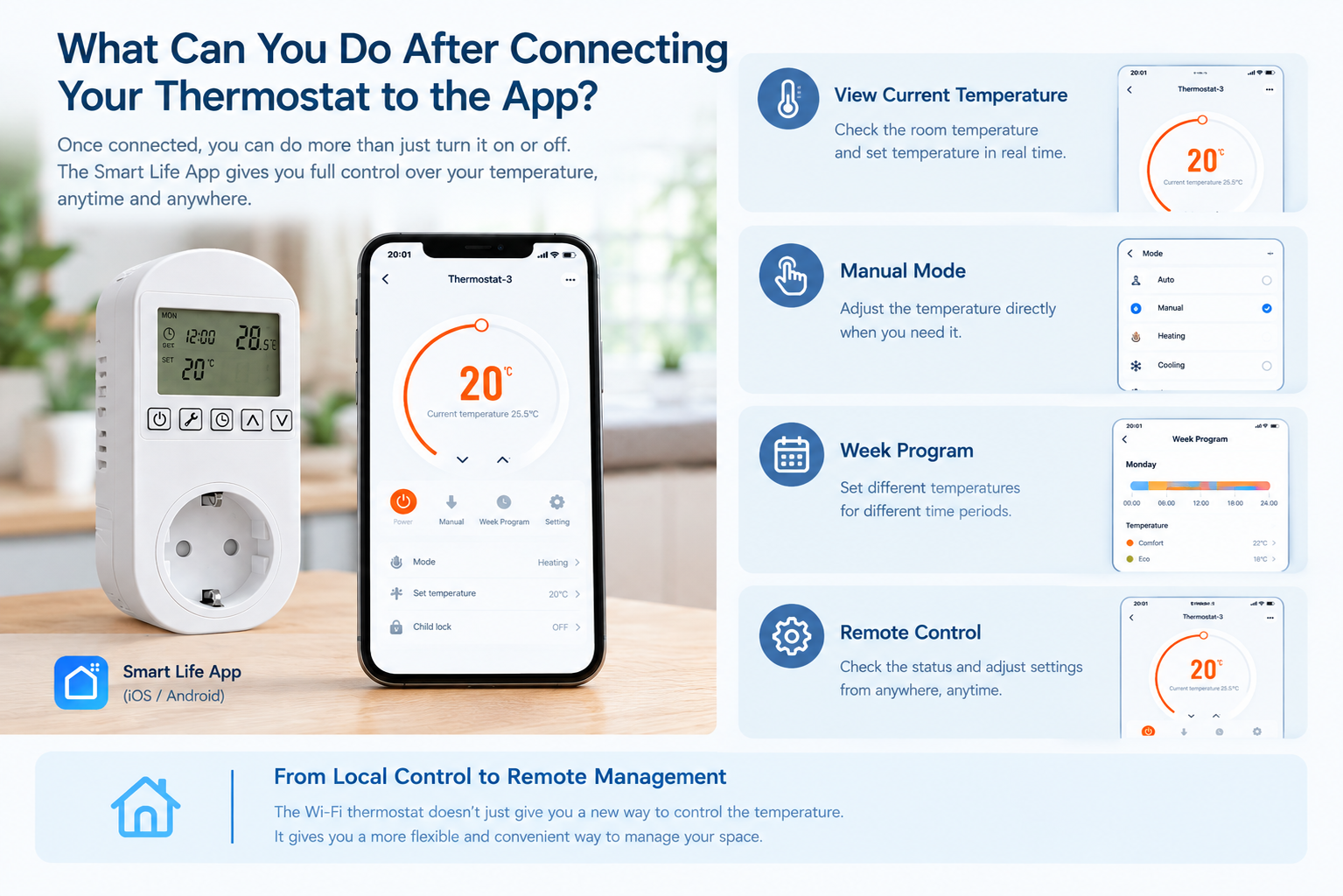
The app is the bridge between the user and the thermostat. We choose to use the Smart Life app for our products. I use this app in my own home, so I know exactly how it works in daily life. Through the app, you can see the real-time temperature on your screen. You can change the heat level with one touch. The app is very fast. When you press a button on the phone, the device reacts in one second. But the best part is the scheduling feature. I set my home thermostat to start heating at 6:00 AM. When I wake up, the house is already warm. Then, the app turns the heat down at 8:30 AM when I leave for the factory. You can create different plans for weekdays and weekends. This feature helps our wholesale customers a lot. They sell these products to DIY stores and smart home builders. Their end buyers want convenience. Sometimes users ask, "Why does the app show a different temperature than I set?" This happens because the room needs time to heat up. The app gives you all the data you need to understand your heating system easily.
What happens to your smart thermostat when the Wi-Fi goes offline?
Internet connections drop all the time in normal homes. You might worry that your smart heater will freeze your room if the Wi-Fi stops. Good thermostats always have a reliable backup plan.
If the Wi-Fi goes offline, a good smart thermostat will continue to work normally. It will use the last saved schedule to control the temperature. You can also walk up to the device and press the buttons to change the temperature manually without using the app.
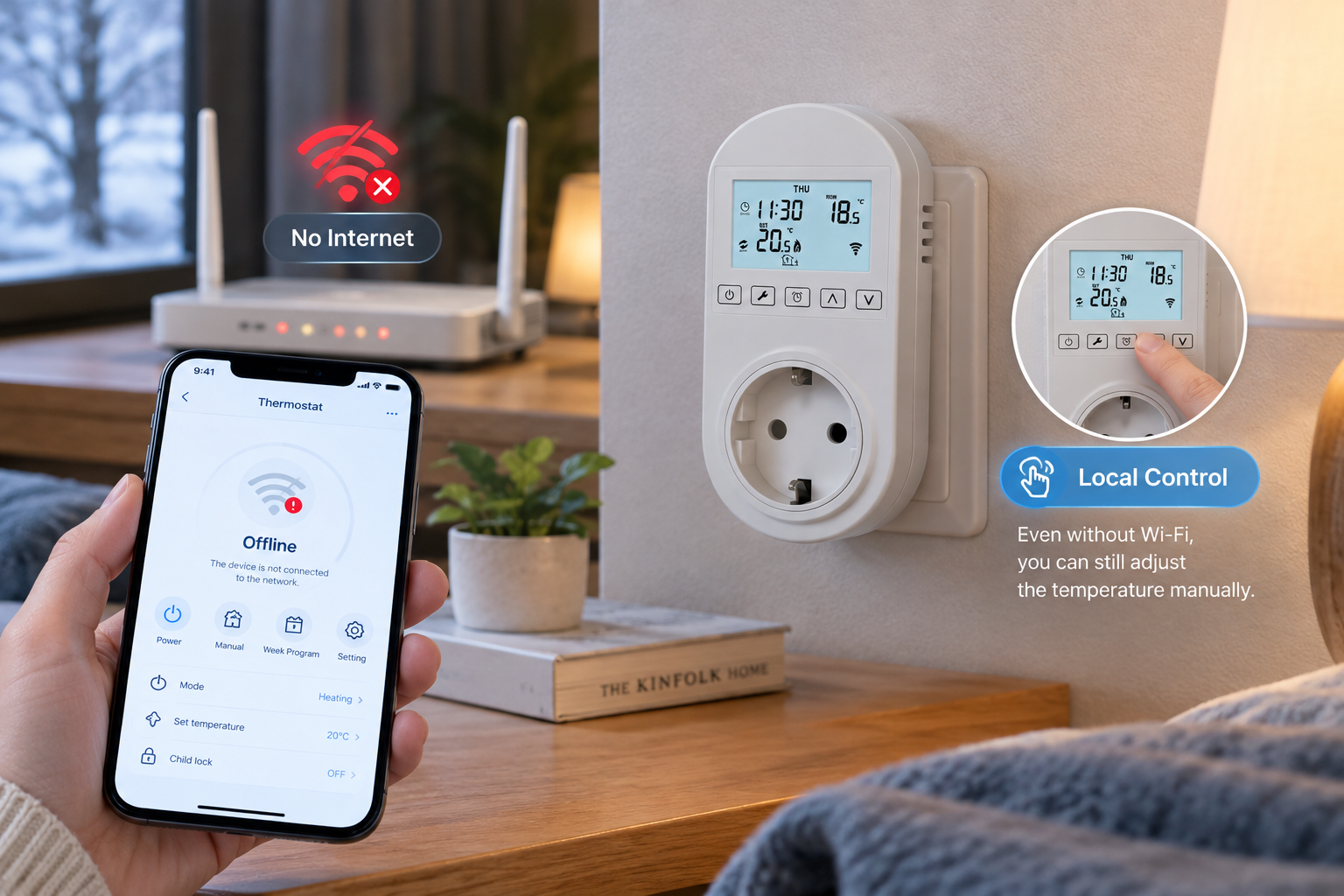
This is a very common question from our professional agents and chain retailers. They often ask me, "What if the router breaks? Will the customer freeze in winter?" This is a very real fear for buyers. A smart device must still be a good basic device. When the Wi-Fi network fails, the thermostat loses connection to the app. You cannot control it remotely anymore. But the device has an internal memory chip. This chip stores your data safely. It remembers the schedule you set before the network died. The thermostat will keep turning the heat on and off at the right times. Also, you can still use the physical buttons or the touch screen on the wall. I always test this feature in our testing room in Ningbo. I connect a new prototype, set a plan, and then turn off the router. The thermostat must continue to click and work. Even if the power goes out completely, the device remembers the settings when the power comes back. As a reliable supply chain partner, we know that basic local control is just as important as smart features. If the internet fails, the product must still protect the user.
How do we choose a reliable smart thermostat for wholesale business?
Buying cheap smart thermostats can ruin your brand reputation quickly. High return rates will eat your profits and waste your time. You need to pick products that offer stable connections and easy setups.
To choose a reliable smart thermostat for wholesale, you must focus on four things. First, the network pairing must be simple. Second, the Wi-Fi connection must be stable. Third, the app must have useful features. Fourth, the device must allow manual local control when the network fails.
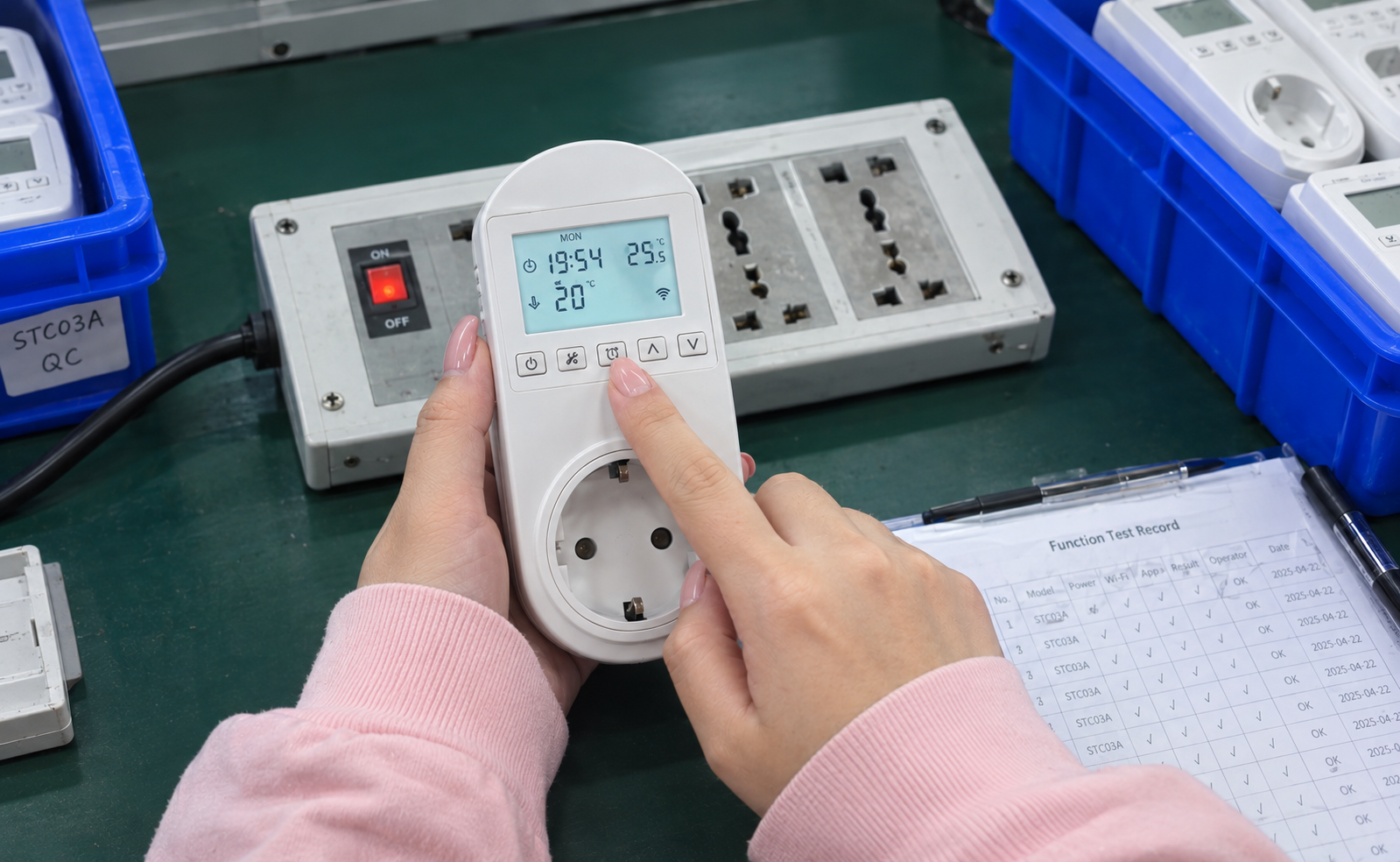
At Timebest, we supply electrical products to brand owners around the world. We know exactly what makes a product sell well. When we develop a new smart thermostat, we look at the whole picture. We do not just add a Wi-Fi chip and call it a finished product. I often tell my team that adding Wi-Fi is only the beginning. Making the whole temperature control experience reliable is the real challenge. We need to evaluate the product from the user's point of view. We can also customize the app interface for big brands. We put your logo on the product and the app.
Here is a simple table we use to check our products:
| Feature | Why it matters for wholesale |
|---|---|
| Simple Pairing | It reduces customer service calls and product returns. |
| Stable Connection | It keeps the app working and keeps the user happy. |
| App Capabilities | It gives the user real value and energy savings. |
| Local Control | It ensures safety and comfort if the internet stops working. |
We use our factory laboratories to test all these features. We test the temperature rise, and we test the software stability. We want to make sure that when a DIY store sells our thermostat, the end user will have a perfect experience from the very first day.
Conclusion
Adding Wi-Fi to a thermostat is only the first step. Making the connection simple and the daily management reliable is the real key to a successful smart home experience.