
How to program a digital timer socket for energy saving at home?
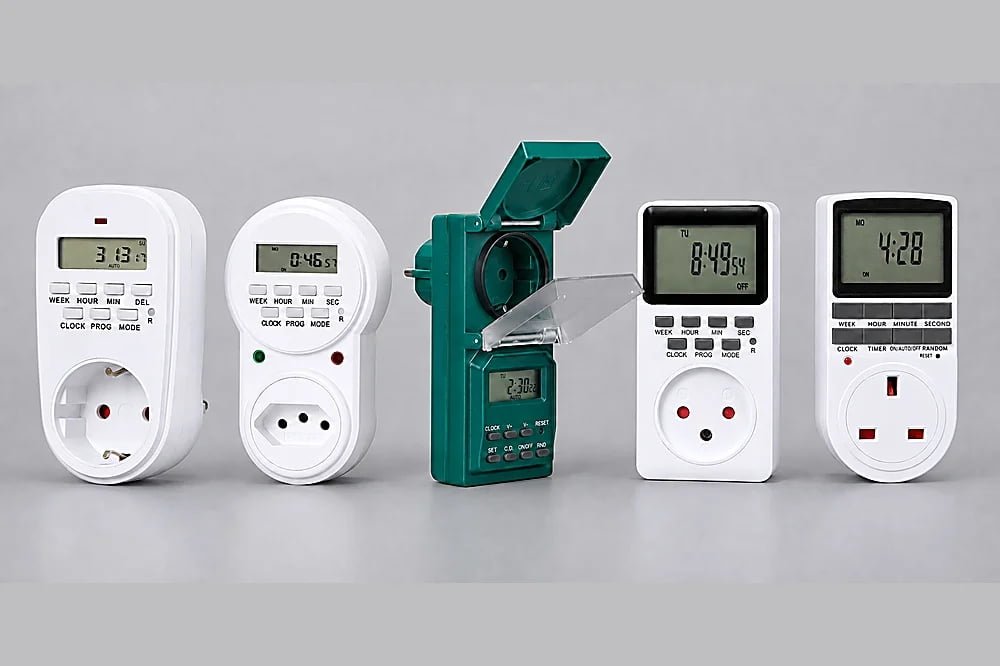
High power bills hurt. You often forget to turn off the heater. A digital timer socket solves this problem fast.
To program a digital timer socket, first plug it in to charge the battery. Next, set the current time and day. Then, enter the setup mode to set the exact ON and OFF times. Finally, set the mode to AUTO.
 !
!
Many people buy these devices but leave them in the box. They think the setup is too hard. Let me show you how easy it really is. Once you learn this, you will never go back to manual switches.
Why do you need a digital timer socket for your home?
Are your appliances running all night? This wastes money and energy. A simple timer stops this waste at once.
A digital timer socket cuts off power to devices when you do not need them. This stops standby power drain. It lowers your electric bill and makes your home safer by avoiding overheating.
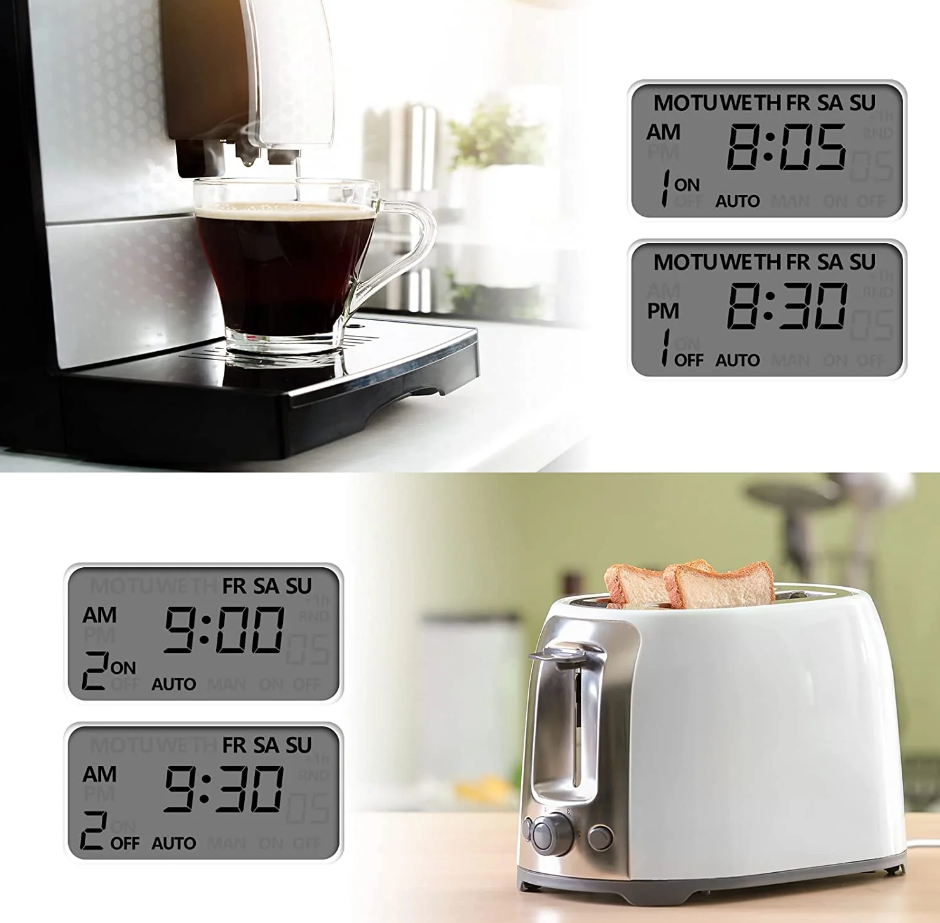
I have seen many homes waste energy. People leave their Wi-Fi routers, water heaters, and plant lights on all day and night. You do not need these running while you sleep. A digital timer socket works like a smart assistant.1 It turns devices on and off for you. This helps your daily routine. You save money without thinking about it.
As a supplier at Timebest, I test many electrical products. I know that standby power adds up quickly. Even when a TV is off, it still draws power. We call this phantom load. A timer socket stops this completely. It physically cuts the connection to the wall.
Appliance Energy Waste Guide
Here is how much power common home devices waste if left on.
| Home Appliance | Hours Used Daily | Wasted Hours | Why Use a Timer? |
|---|---|---|---|
| Wi-Fi Router | 8 hours | 16 hours | Cuts power at night |
| Water Heater | 2 hours | 22 hours | Stops constant reheating |
| Fish Tank Light | 10 hours | 14 hours | Keeps fish healthy |
| Coffee Maker | 1 hour | 23 hours | Brews before you wake up |
You can start saving money by plugging your router into a timer today.
What are the basic steps to program a digital timer socket?
Staring at a blank screen? Pushing random buttons will not help. Follow a clear step-by-step method instead.
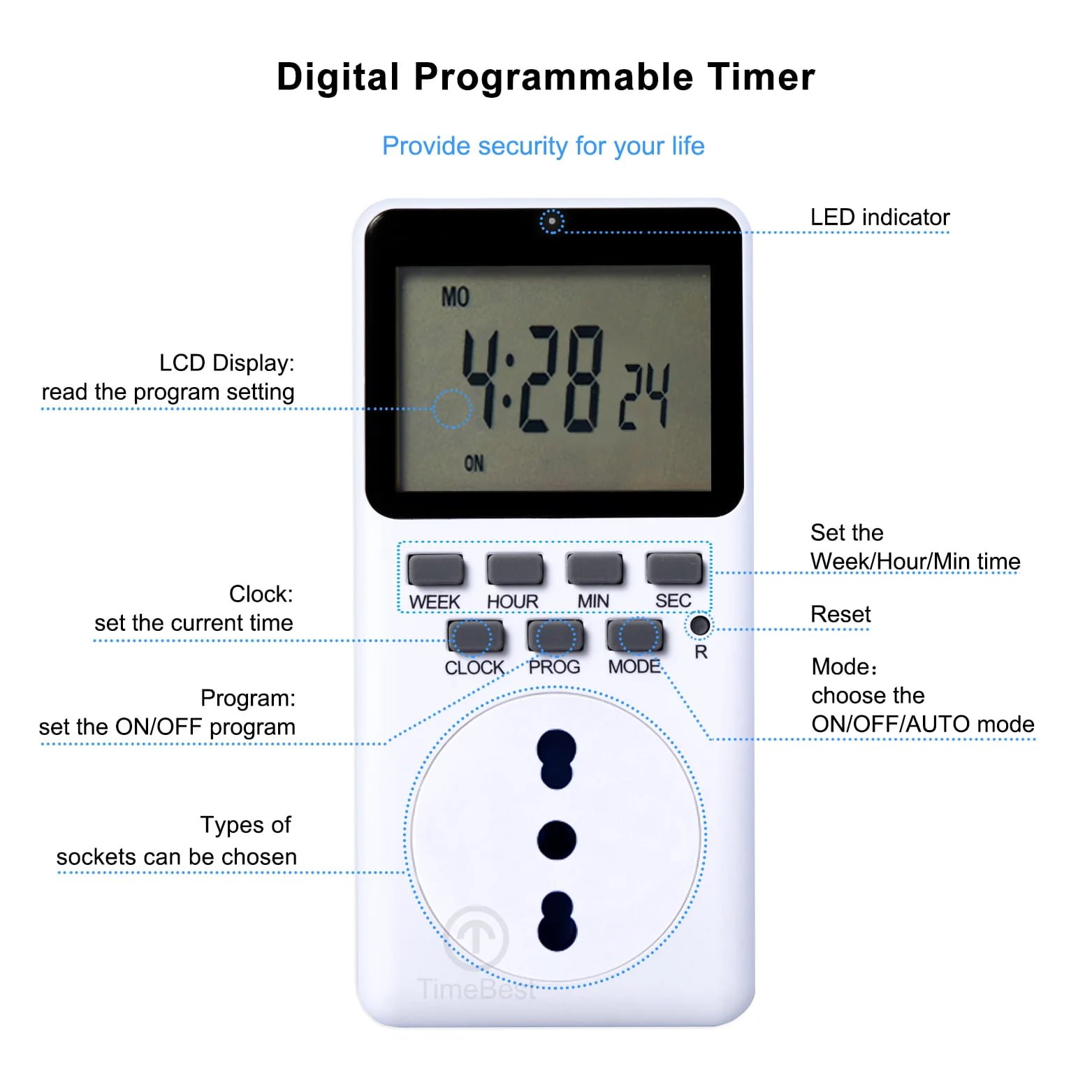
First, press the reset button with a pin. Hold the CLOCK button and press HOUR and MINUTE to set the current time. Press TIMER to set your first ON time, then press TIMER again to set the OFF time.
I always tell my clients to charge the timer first. Plug it into the wall for about ten minutes. This wakes up the internal battery. If the screen is blank, it just needs power. After that, programming becomes very simple.
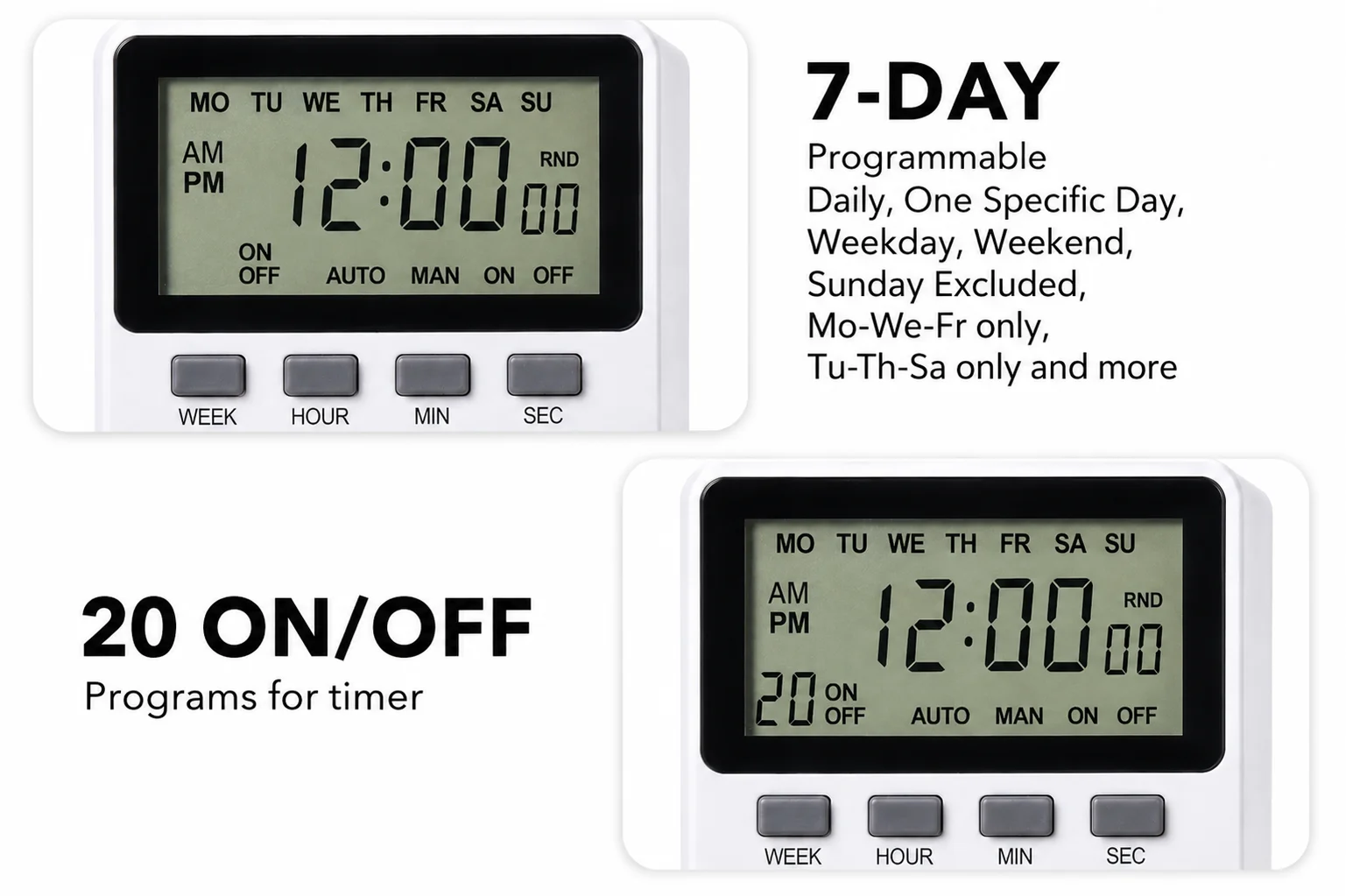
You must set the real time first. The timer needs to know what day it is. If you skip this step, your programs will run at the wrong time. After you set the clock, you can add your schedule. Most of our timers allow up to 10 or 20 different programs.
Button Functions Explained
Understanding the buttons makes the setup process easy.
| Button Name | Main Function | When to use it? |
|---|---|---|
| RESET | Clears all data | Use when first bought |
| CLOCK | Returns to main screen | Use to set current time |
| TIMER | Enters program mode | Use to set ON/OFF rules |
| DAY / WEEK | Selects the day | Use for current time and rules |
| ON/AUTO/OFF | Changes the mode | Use to activate your rules |
You must press the mode button until the screen says AUTO before you walk away.
Does screen size matter when choosing a digital timer socket?
Can you read the small text on your device? Small screens cause eye strain. Choosing the right screen size changes your experience completely.
Screen size matters a lot for readability and cost. Older people need large LCD screens to read the numbers clearly.2 However, smaller screens are cheaper and offer better value for people on a tight budget.
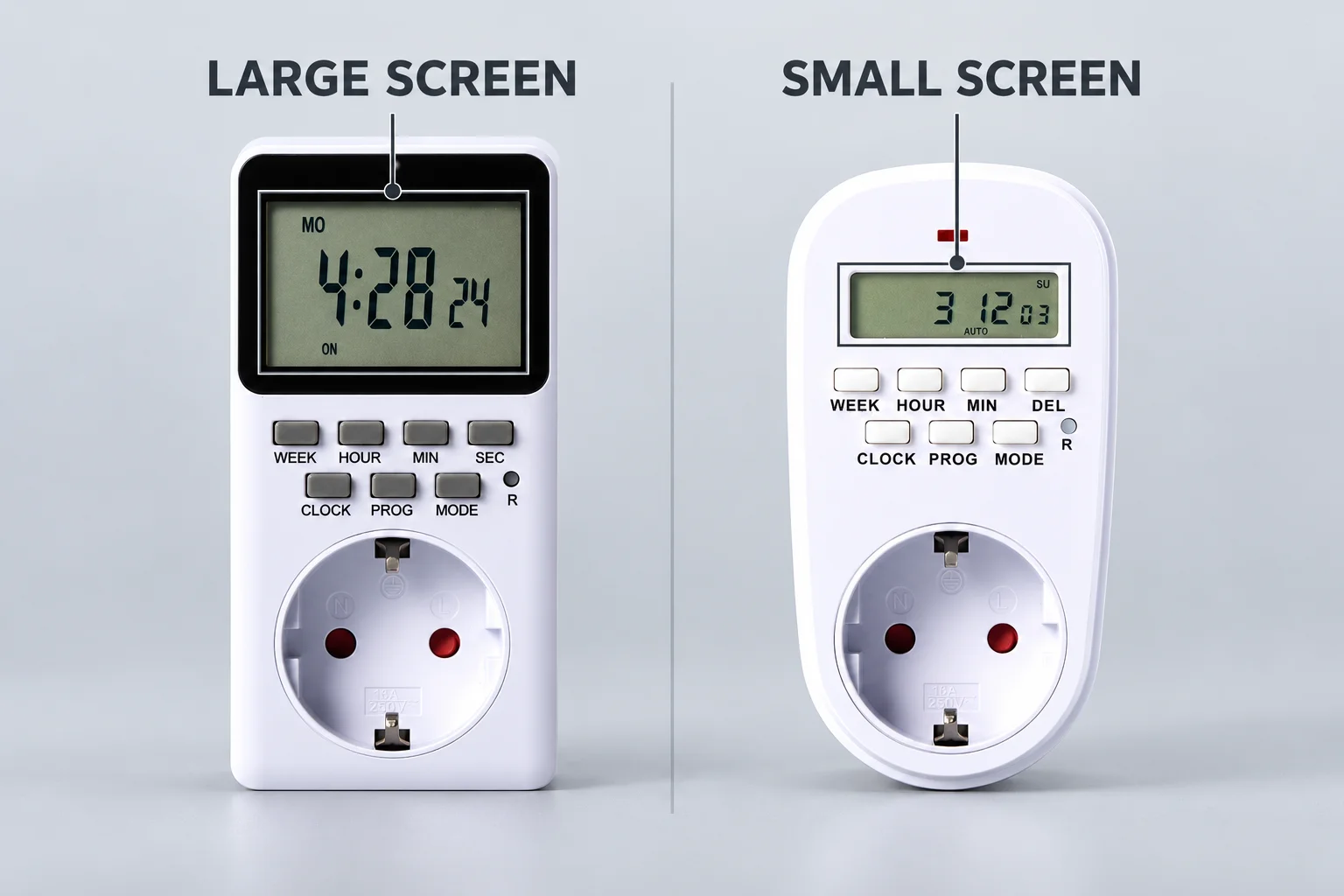
I talk to buyers from all over the world. I notice a very clear trend. Customers in different countries have completely different preferences for display sizes. This is a very interesting fact in my daily work.
European and American buyers prefer large LCD screens. They do not mind paying a little more for a bigger display. Older users love these models. The large font makes it very easy to read the time. Our models like SET09A-IS for Israel, SET10A-US for the USA, and SET15A-GR or SET16A-FR for Europe are very popular for this reason.
Screen Size Benefits
Let us look at why people choose different screens.
| Screen Type | Best For | Main Advantage | Popular Regions |
|---|---|---|---|
| Large LCD | Elderly users | Clear reading | USA, Europe, Israel |
| Small LCD | Budget buyers | Cost-effective | UK, Brazil, Southeast Asia |
A large screen makes the setup process much faster for older eyes.
How do different markets choose the right digital timer socket?
Trying to sell one product to the whole world? It will fail. You must respect local market habits to succeed.
Different countries buy different styles based on local habits, not quality.3 Southeast Asian buyers prioritize cost-effectiveness and choose smaller screens. European buyers focus on user experience and pick large screens.
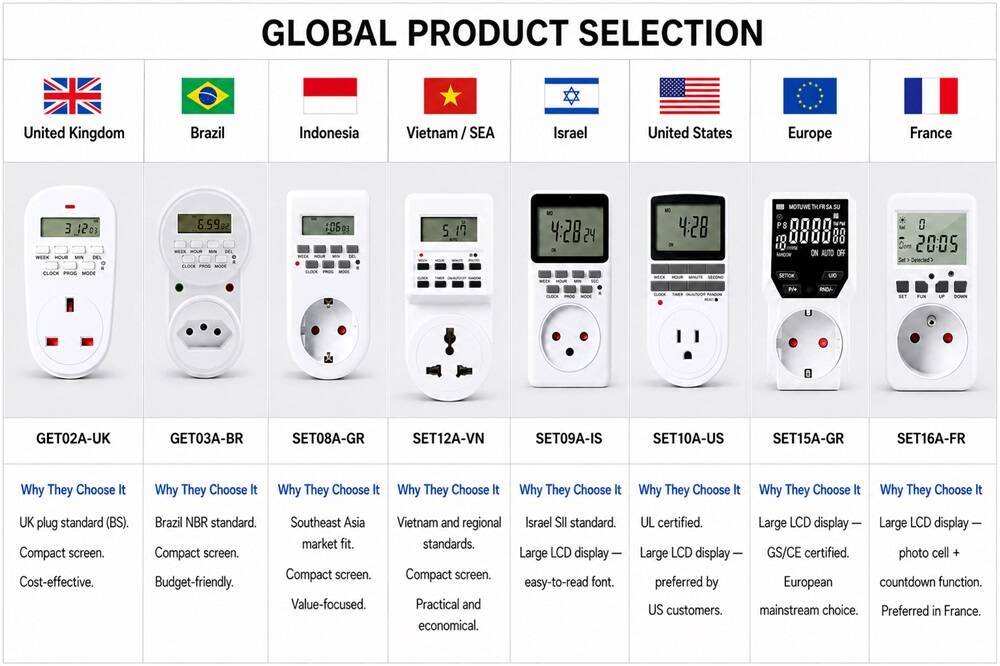
Some people think a cheaper product means bad quality. I always tell them this is wrong. It is not a quality issue. It is a market habit issue. We do not need to make all customers like the exact same product. We must find the best fit for every single market.
In my experience, buyers in the UK like the GET02A-UK. Buyers in Brazil prefer the GET03A-BR. In Indonesia, the SET08A-GR is very popular. Customers across Southeast Asia often ask for the SET12A-VN. These are all small-screen models. They are highly cost-effective. They do the exact same job as the big-screen models, but they fit the local budget perfectly.
Regional Model Preferences
Here is a breakdown of our popular models by region.
| Country / Region | Preferred Model | Screen Size | Main Focus |
|---|---|---|---|
| United Kingdom | GET02A-UK | Small | Best value |
| Brazil | GET03A-BR | Small | Best value |
| Indonesia | SET08A-GR | Small | Best value |
| Southeast Asia | SET12A-VN | Small | Best value |
| USA / Europe | SET10A-US / SET16A-FR | Large | User experience |
At Timebest, we build all these different models to match these exact local needs.
How to avoid common mistakes when programming a timer socket?
Is your lamp not turning on? Did the timer skip a schedule? Many people make small mistakes during setup.
To fix common timer problems, ensure the device is in AUTO mode. Check if the AM/PM setting matches your real time. Make sure your ON and OFF programs do not overlap on the same day.
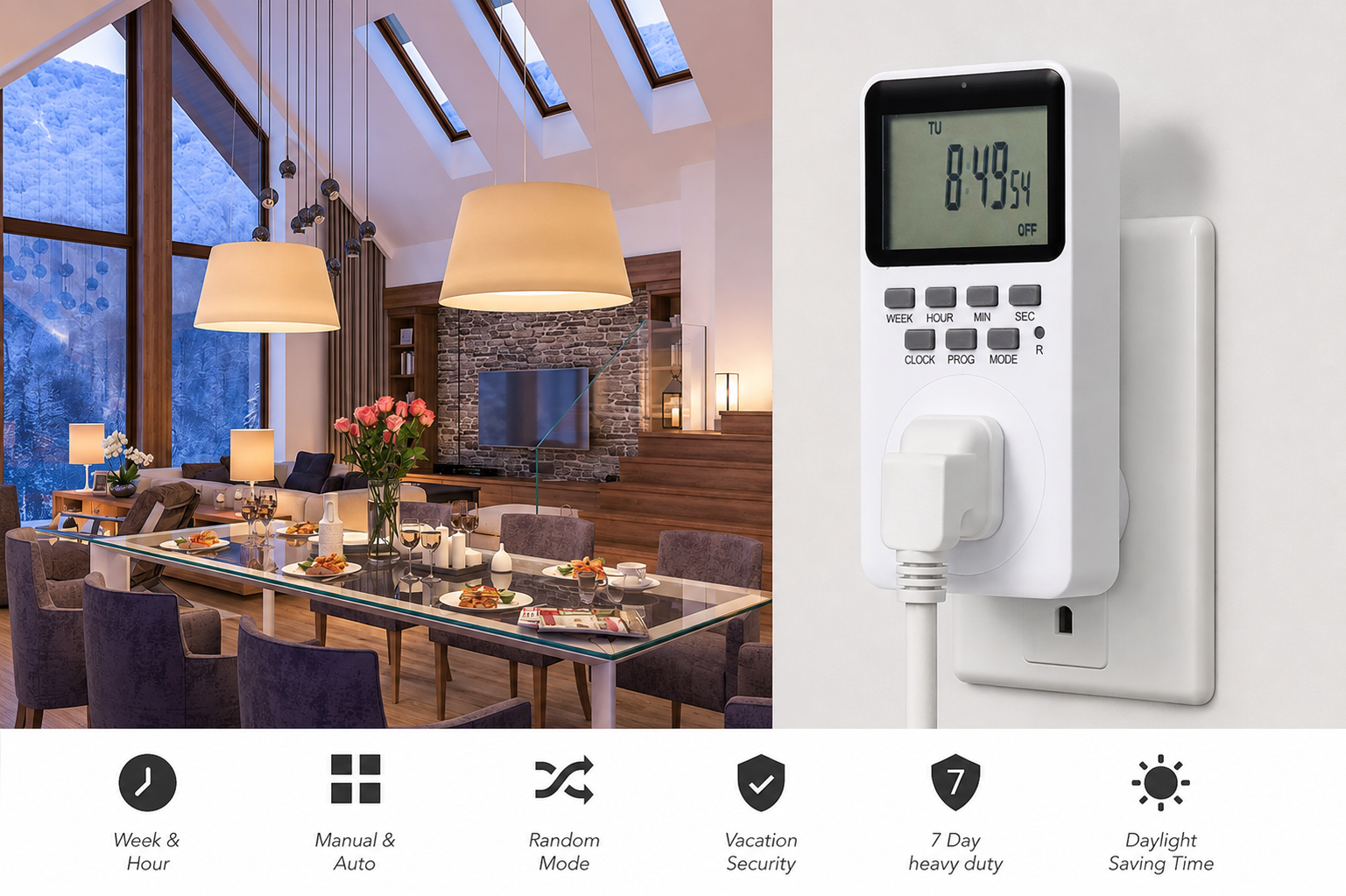
Sometimes clients call me and say their timer is broken. Almost every time, the device is fine. The issue is just a small programming mistake. I want to share the most common errors I see in my work.
The biggest mistake is the mode setting. Our timers have a button that switches between ON, AUTO, and OFF. If the screen says ON, the power flows all the time. If it says OFF, the power never flows. It must say AUTO for your schedules to work.
Another big issue is the 12-hour clock. People confuse AM and PM. They set the heater to turn on at 6 PM instead of 6 AM.
Troubleshooting Guide
Check this list if your timer fails.
| Problem | Likely Cause | How to Fix |
|---|---|---|
| Device stays on | Mode is set to ON | Press button until it says AUTO |
| Device stays off | Mode is set to OFF | Press button until it says AUTO |
| Wrong time firing | AM/PM is mixed up | Check the clock and reset the program |
| Screen is totally blank | Battery is dead | Plug into wall for 10 minutes |
You must check the screen one last time before you leave the room.
Conclusion
Programming a digital timer socket is simple and saves money. Whether you prefer a large screen or a cost-effective small screen, choosing the right model makes energy saving easy.
"The Best Smart Home Devices of 2026 - Security.org", https://www.security.org/smart-home/best/. This source provides insights into how digital timers automate the control of electrical devices, similar to smart home assistants, enhancing convenience and energy efficiency. Evidence role: expert_consensus; source type: education. Supports: A digital timer socket works like a smart assistant.. Scope note: The support is based on expert opinions rather than empirical data on user experiences with timer sockets. ↩
"How to design font size for older adults: A systematic literature ...", https://pmc.ncbi.nlm.nih.gov/articles/PMC9376262/. This source discusses the visual needs of older adults, emphasizing the importance of larger text and displays for readability. Evidence role: expert_consensus; source type: education. Supports: Older people need large LCD screens to read the numbers clearly.. Scope note: The support is based on general findings about aging and vision, not specifically on timer sockets. ↩
"Culture and Consumer Behavior: The Role of Horizontal and Vertical ...", https://pmc.ncbi.nlm.nih.gov/articles/PMC5222543/. This source examines how cultural and economic factors influence consumer choices in different markets, affecting product selection and preferences. Evidence role: historical_context; source type: paper. Supports: Different countries buy different styles based on local habits, not quality.. Scope note: The support provides a broader context of consumer behavior and may not directly relate to timer sockets. ↩